Sheets, screws and joint compound for your walls — with waste included.
Results are estimates for planning purposes and are not financial, medical, or professional advice.
How to Use the Drywall Calculator
Planning a drywall project starts with knowing exactly how many sheets to buy. This calculator takes your room dimensions and sheet size, then tells you how many drywall sheets you need, including a waste allowance for cuts and mistakes.
- Enter the length and height of each wall, or the total wall area if you already know it.
- Add the number of walls, or measure rooms one at a time for an L-shaped space.
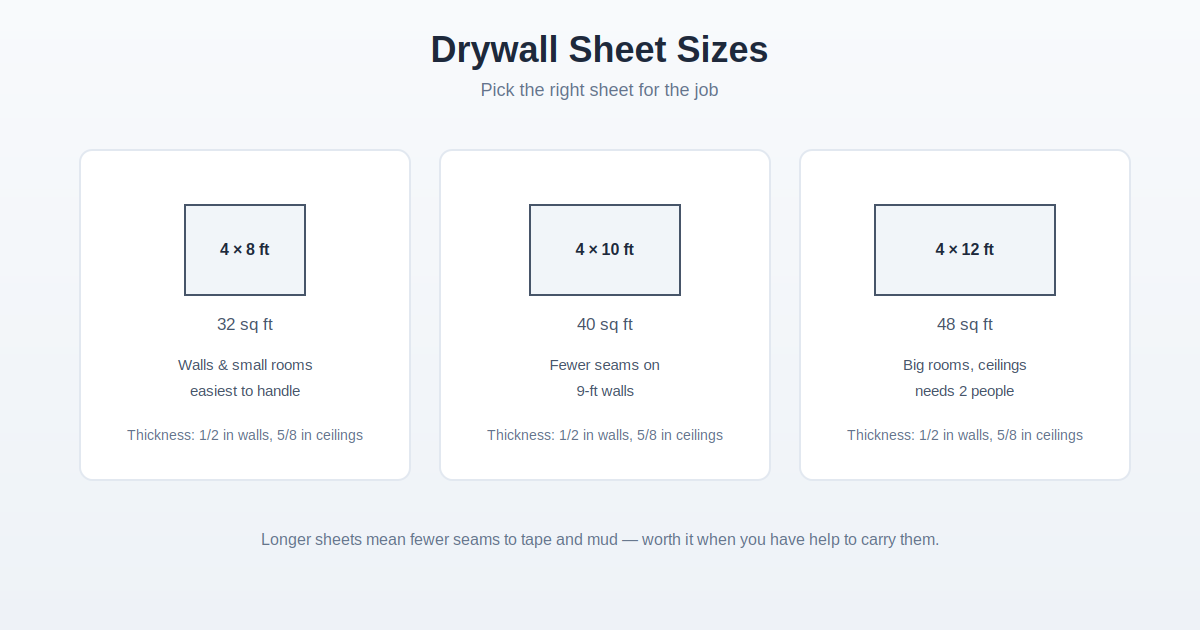
- Choose your drywall sheet size. Standard sheets are 4 by 8 feet, while 4 by 12 foot sheets mean fewer seams on long walls.
- Set a waste factor. Ten percent is standard, but choose fifteen percent if the room has many corners, doors, or angled walls.
Drywall Calculator Formula
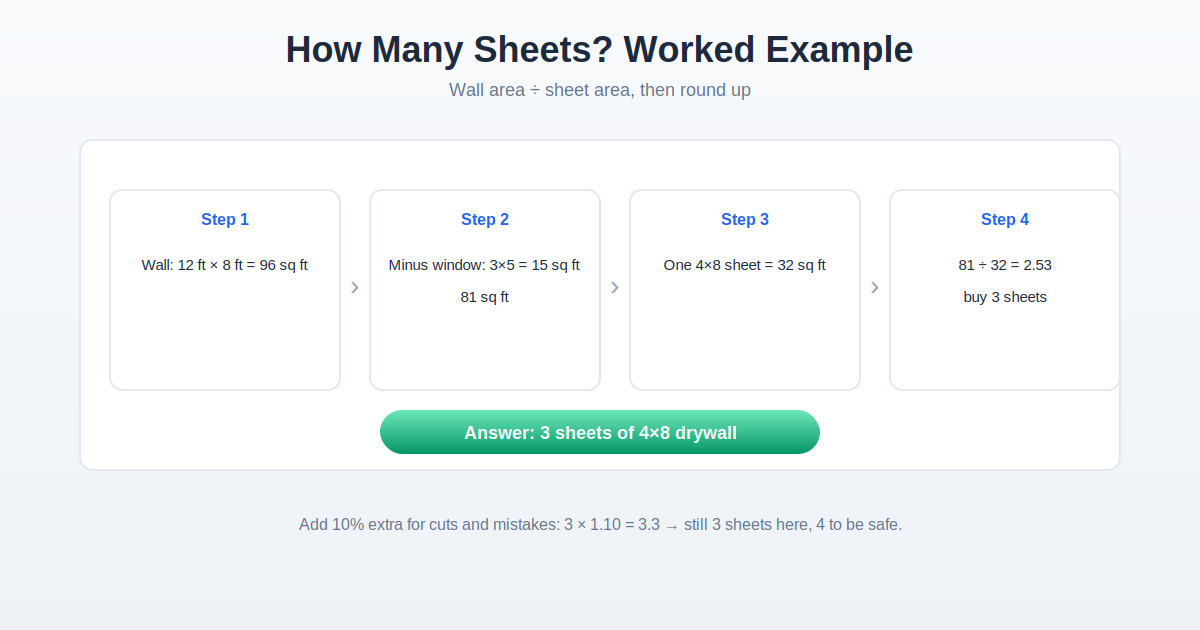
The math behind the calculator is simple. First it finds the total wall area by multiplying each wall’s length by its height and adding the results together. Then it divides that total by the area of one drywall sheet. Finally it adds your waste percentage and rounds up, because you cannot buy a fraction of a sheet.
Total wall area = sum of (wall length x wall height). Sheets needed = (total wall area divided by sheet area) x (1 + waste percentage). A 4 by 8 sheet covers 32 square feet, and a 4 by 12 sheet covers 48 square feet.
Example Calculation
Imagine a bedroom with two walls that are 12 feet long and two walls that are 10 feet long, all with 8 foot ceilings. The long walls give 2 x (12 x 8) = 192 square feet. The short walls give 2 x (10 x 8) = 160 square feet. Total wall area is 352 square feet.
Using standard 4 by 8 sheets at 32 square feet each: 352 divided by 32 = 11 sheets exactly. Adding a 10 percent waste allowance: 11 x 1.10 = 12.1, which rounds up to 13 sheets.
Choosing Sheet Size and Thickness
Standard 4 by 8 sheets are the easiest to carry, fit through doorways, and hang on your own. 4 by 12 sheets create fewer seams on long walls but are heavy and awkward for one person. For thickness, half inch is the standard choice for walls. Use 5/8 inch on ceilings, where it resists sagging between widely spaced joists, and on fire-rated walls such as the wall between a garage and the house. Quarter inch board is only for curved surfaces or going over existing walls.
Frequently Asked Questions
How many drywall sheets do I need for a 12 by 12 room?
With 8 foot ceilings, four 12 foot walls give 384 square feet of wall area. Dividing by 32 square feet per 4 by 8 sheet gives exactly 12 sheets, and a 10 percent waste allowance brings it to 14 sheets after rounding up.
Should I use 4 by 8 or 4 by 12 drywall sheets?
Four by 8 sheets are easier to carry and fit through doorways, which makes them better for DIY projects. Four by 12 sheets cover long walls with fewer seams, so professional hangers often prefer them for large rooms.
How much waste should I add when calculating drywall?
Ten percent is the standard waste factor for simple rectangular rooms. Bump it to fifteen percent for rooms with many windows, doors, closets, or angled walls, since every opening means extra cuts.
Do I subtract doors and windows from the wall area?
For a rough estimate you can skip this step, since the waste factor roughly covers it. For a tighter estimate, subtract about 21 square feet for each standard door and 15 square feet for each average window.
How many screws do I need per sheet of drywall?
Plan on about 32 screws per 4 by 8 sheet when attaching to wall studs spaced 16 inches apart. A 5 pound box covers a typical room with plenty to spare.
Related Calculators
Planning the rest of the room? Try our Square Footage Calculator to measure floors and ceilings, and our Paint Calculator to figure out how much paint those new walls will need.