Convert a latitude and longitude pair between the three formats met on maps, GPS devices and charts: decimal degrees (DD), degrees and decimal minutes (DDM), and degrees, minutes and seconds (DMS). Paste a coordinate in any format — plain decimals such as 51.5074, DDM such as 51° 30.444′ N, or DMS such as 51° 30′ 26.64″ N — and the table shows both coordinates in all three formats, with a copyable decimal pair underneath.
Your coordinates in every format
| Format | Latitude | Longitude |
|---|
Latitude always stays latitude and longitude always stays longitude — the converter changes each value’s format, never swaps them. Decimal degrees are shown to six places; DDM and DMS rows carry hemisphere letters (N or S, E or W).
How to Use This Coordinate Converter
- Type or paste the latitude into the first field. Any format works: a plain decimal such as 51.5074, degrees and decimal minutes such as 51° 30.444′ N, or degrees, minutes and seconds such as 51° 30′ 26.64″ N. Colons, spaces, symbols and hemisphere letters are all accepted.
- Do the same for the longitude in the second field. The fields are labelled and never swap: latitude measures distance from the equator, longitude from the prime meridian.
- Read the table. Your pair appears in all three formats, updating live as you type. There is no Convert button.
- Copy the decimal pair when you need it elsewhere. The bold line under the table is the pair in decimal degrees, latitude first, ready for a map search, spreadsheet or GPS app.
- Mind the note line. If a value cannot work — a latitude beyond 90, minutes or seconds of 60 or more, or unreadable text — a plain-language message there names the problem instead of showing a wrong result.
The Three Coordinate Formats Explained
Decimal degrees (DD) write a coordinate as one ordinary decimal number. The latitude 51.5074 means 51 whole degrees north of the equator plus 0.5074 of another degree. A minus sign replaces the hemisphere letter: south latitudes and west longitudes are negative, so the pair 51.5074, -0.1278 already tells you the point is north and slightly west. This is the format of web maps, apps, spreadsheets and databases, because one number is easy to store and paste.
Degrees and decimal minutes (DDM) keep the whole degrees but express everything below a degree as decimal minutes. One degree holds 60 minutes, so 0.5074 of a degree becomes 30.444 minutes, written 51° 30.444′ N. DDM is the working format of most marine chartplotters and many handheld GPS units, because minutes are the unit sailors and pilots think in.
Degrees, minutes and seconds (DMS) split the degree twice: 60 minutes in a degree, then 60 seconds in each minute, giving 3,600 seconds in a degree. The same latitude becomes 51° 30′ 26.64″ N. DMS is the oldest of the three styles and still appears on paper maps, in surveying and land documents and in older atlases.
All three formats describe exactly the same point; converting between them moves no location on Earth. Two nearby systems are deliberately not part of this tool: UTM grid references are a projected system measured in metres rather than angles, and Plus Codes are a short geocode for sharing a place rather than a way of writing an angle.
Worked Example: London in Every Format
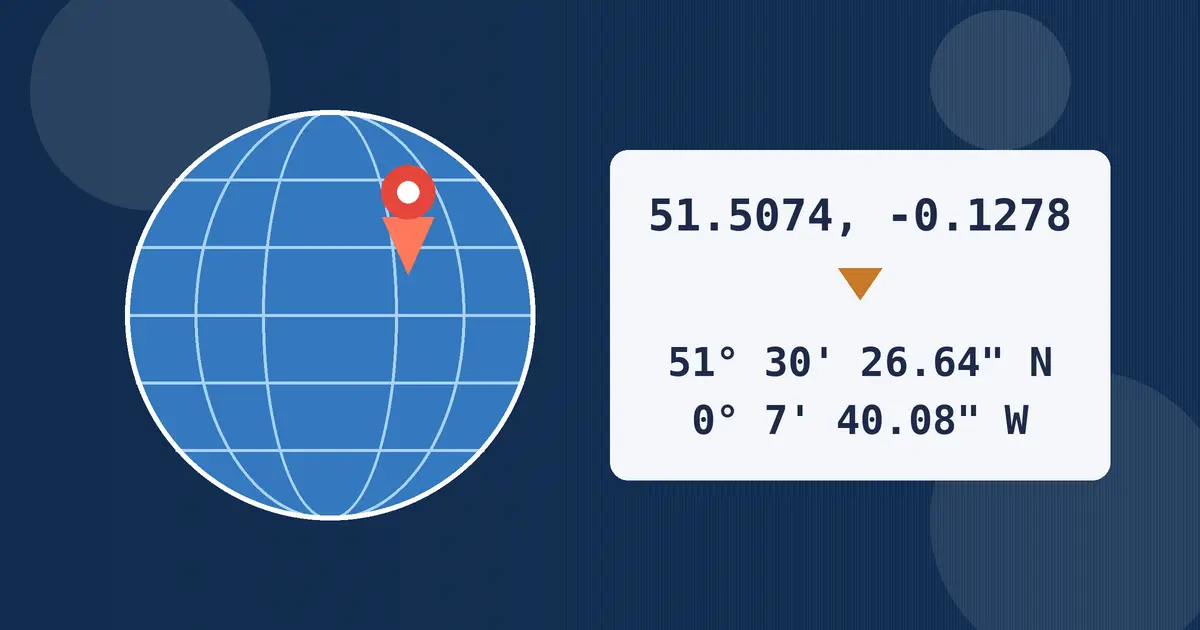
Take a point in central London at latitude 51.5074 and longitude -0.1278 in decimal degrees. The latitude converts first. The whole number, 51, is the degrees. Multiply the leftover 0.5074 by 60 to get 30.444 minutes — the DDM value: 51° 30.444′ N. For DMS, keep the 30 whole minutes and multiply the leftover 0.444 by 60 to get 26.64 seconds: 51° 30′ 26.64″ N.
The longitude works the same way. The value is small and negative: 0 degrees, and 0.1278 multiplied by 60 gives 7.668 minutes, so DDM reads 0° 7.668′ W. Keeping the 7 whole minutes and multiplying the leftover 0.668 by 60 gives 40.08 seconds: 0° 7′ 40.08″ W. The letter is W, not E, because the point sits just west of the prime meridian, which runs through Greenwich.
| Format | Latitude | Longitude |
|---|---|---|
| Decimal degrees | 51.507400 | -0.127800 |
| Degrees and decimal minutes | 51° 30.4440′ N | 0° 7.6680′ W |
| Degrees, minutes and seconds | 51° 30′ 26.64″ N | 0° 7′ 40.08″ W |
Checking backwards is just as quick: 30 minutes divided by 60 is 0.5, 26.64 seconds divided by 3,600 is 0.0074, and the sum is exactly 51.5074. If the check misses your starting number, the mistake is in the arithmetic, not the location.
How to Convert Coordinates by Hand
Every conversion between these formats rests on one fact: a degree is 60 minutes and a minute is 60 seconds. Going from a smaller unit to a bigger one you divide by 60; going the other way you multiply.
Decimal degrees = degrees + minutes ÷ 60 + seconds ÷ 3,600
Decimal to DMS: keep the whole degrees, multiply the remainder by 60 for minutes, then multiply the new remainder by 60 for seconds
To turn decimal degrees into DMS by hand, work through the London latitude. Start with 51.5074. The whole part, 51, is your degrees. Multiply what is left, 0.5074, by 60 and you get 30.444: the whole part, 30, is your minutes. Multiply what is left now, 0.444, by 60 and you get 26.64, your seconds. Finish by attaching the hemisphere letter — N for a positive latitude, S for a negative one, E for a positive longitude, W for a negative one — and drop the minus sign, because the letter now carries that information.
To go the other way, reverse the operations: divide minutes by 60, seconds by 3,600, and add both to the degrees. For 51° 30′ 26.64″ N that is 51 + 0.5 + 0.0074 = 51.5074, positive because the letter is N; had it been S, you would write -51.5074. DDM sits in the middle: divide the decimal minutes by 60 and add. The commonest slip is dividing seconds by 60 instead of 3,600, which quietly inflates the result — the backward check above catches it.
Where Each Format Is Used
GPS and phones speak decimal degrees. Location services, mapping apps, photo location tags and website code all store positions as decimal pairs, because computers prefer one number per coordinate. When an app asks for coordinates manually, decimal degrees are what it expects.
Aviation and marine practice favour minutes. Pilots and sailors plan in nautical miles, and one minute of latitude is one nautical mile by definition, which makes DDM the natural chart format: distance can be read straight off the minutes scale. Cockpit and chartplotter displays commonly show degrees and decimal minutes for this reason.
Paper maps, surveys and older documents use DMS. Printed atlases, topographic sheets, property records and gazetteers still print degrees, minutes and seconds, because the format predates calculators and divides neatly on a printed scale. Copying a position out of a book, deed or older chart? Expect DMS — and expect to convert it before a phone or web map will accept it.
Reading Coordinates off Google Maps
Google Maps works in decimal degrees, and it hands you a decimal pair for any point in seconds. On a computer, right-click the exact spot: the first menu item is the coordinate pair, and clicking it copies it to your clipboard. On a phone, touch and hold the map to drop a pin, and the coordinates appear in the panel at the bottom.
Two habits save trouble here. First, zoom in as far as you can before clicking, because the pair describes the precise pixel you touched, and at a wide zoom a small slip can move the point by a street or more. Second, paste the pair into the converter above before sharing it on paper or reading it aloud: many charts and older GPS units want DDM or DMS. The order is always latitude first, then longitude.
Sign and Hemisphere Letter Mistakes
- Keeping both the minus sign and the letter. A value is either -0.1278 or 0° 7′ 40.08″ W, never both at once. Writing -0° 7′ 40.08″ W invites the next reader to apply the sign twice or drop the letter — and either way the point moves.
- Forgetting the west or south sign. London at 51.5074, 0.1278 with a positive longitude is not London — it sits in the North Sea off Essex. New York without its minus sign lands in Central Asia.
- Swapping latitude and longitude. A pair is latitude first, longitude second. A swap can still look plausible, since both numbers may sit inside their valid ranges, so if a point appears in an ocean or the wrong country, suspect a swap first.
- Minutes or seconds of 60 or more. Minutes and seconds work in sixties, like a clock. A reading of 51° 75′ is not a place; it is a typing error, and this converter flags it rather than converting it into a wrong location.
More Tools on This Site
Coordinates pair naturally with a few neighbouring tools. The Angle Converter restates degrees in radians and other angular units when a bearing needs it. The Speed Converter covers the travel side of navigation, including the knots marine and aviation work is planned in. The Time Zone Converter answers what time it is at a distant coordinate, and the Length Converter covers the distances between points.
Frequently Asked Questions
Can latitude be converted into longitude?
No — latitude and longitude measure different directions. Latitude measures distance north or south of the equator; longitude measures distance east or west of the prime meridian. When people search for how to convert latitude to longitude, they usually mean converting a coordinate pair from one format to another, which is what this tool does: each value keeps its own axis and is restated in decimal degrees, degrees and decimal minutes, and degrees, minutes and seconds.
How do I convert DMS to decimal degrees?
Divide the minutes by 60, divide the seconds by 3,600, and add both to the degrees. For example, 51° 30′ 26.64″ N becomes 51 + 0.5 + 0.0074 = 51.5074. Add a minus sign if the letter is S for latitude or W for longitude; N and E stay positive.
How do I convert decimal degrees to DMS?
Keep the whole number as the degrees. Multiply the decimal remainder by 60: the whole part of that answer is the minutes. Multiply the new remainder by 60 again for the seconds. So 51.5074 becomes 51 degrees, 0.5074 times 60 gives 30 minutes, and 0.444 times 60 gives 26.64 seconds — written 51° 30′ 26.64″, with N, S, E or W replacing any minus sign.
What do the hemisphere letters N, S, E and W mean?
They state which side of a reference line the point sits on. N and S belong to latitude — north or south of the equator. E and W belong to longitude — east or west of the prime meridian. In signed decimal degrees the letters become a sign: N and E are positive, S and W are negative. Use one system or the other, never a minus sign and a letter together.
Which format does Google Maps use?
Google Maps uses decimal degrees. Right-clicking a point on a computer, or dropping a pin on a phone, shows the pair as two decimal numbers, latitude first. Paste that pair into this converter to restate it as degrees and decimal minutes or degrees, minutes and seconds for a chart, form or older GPS unit.
How many decimal places do I need in decimal degrees?
Six decimal places, the precision this converter shows, locate a point to about a tenth of a metre at the equator — enough for maps, forms and consumer GPS. Four places reach about 11 metres and suit most everyday uses. More than six adds typing without adding real accuracy, because the original measurement is rarely that precise.