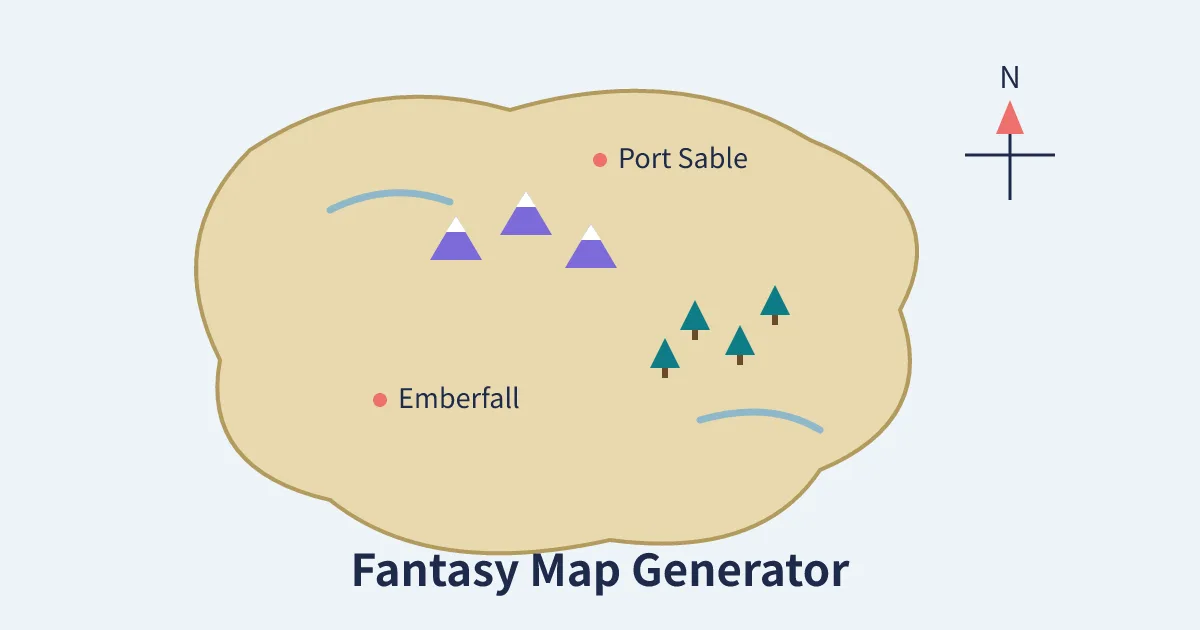
Press Generate and the map maker draws a brand-new fantasy land: coastlines, mountain ranges, forests, a river and named towns and ports, all invented on the spot. Type a seed number if you want to keep or share a favourite map, because the same seed always draws the same world.
What Is a Fantasy Map Generator?
A fantasy map generator invents an imaginary land and draws it for you: coastlines and islands, mountain ranges, forests, rivers and named settlements. Writers use the maps to anchor a novel's geography, game masters use them to build a campaign world in minutes, and teachers and hobbyists use them simply because watching a new continent appear is fun. Instead of spending hours sketching plausible coastlines, you press one button and start with a complete, coherent map you can refine, rename and print.
This generator works the way many professional procedural tools do, in a simplified form. It grows landmasses from seeded random walks, smooths them into two-tone coasts, stamps mountain and forest markers onto the land, runs a river down to the sea, and finally names four to eight places using fantasy syllables. Because everything grows from a single seed number, the map is not lost when you close the page: type the seed back in and the identical world returns.
How to Use the Fantasy Map Generator
- Press Generate New Map. A fresh world appears with its own coastline, terrain and place names. Press it again as often as you like; each press is a new land.
- Watch the seed. Every map shows its seed under the canvas. Leave the seed box empty for a surprise, or type any word or number as a seed to draw a specific world again later.
- Read the places list. The invented towns and ports are listed beneath the map, ready to copy into your story notes or campaign plan.
- Download the PNG. Save the map as an image for your documents, virtual tabletop, classroom handout or book draft.
How the Map Is Drawn
Real coastlines are jagged because they are built by countless small accidents of geology. The generator imitates that with random walks: several invisible walkers wander across the canvas, and wherever they step, the land grows in overlapping circles. A wider, sandy pass is drawn first and a slightly smaller land pass on top, which produces the pale shoreline ring you see around each continent. The result is a coast that looks eroded and natural rather than stamped from a template.
Mountains and forests are then placed on real land points sampled from those walks, so you will never find a pine forest floating in the ocean. One river is drawn from the interior down to the bottom edge of the map, following the cartographic convention that water flows to the sea. Finally, a compass rose marks north, which matters more than it sounds: once a map has a fixed north, directions in your story or game stay consistent.
Place names that sound invented, because they are
The names are assembled from classic fantasy building blocks: strong openings like Ember, Raven, Thorn and Storm joined to endings like fall, ford, haven and shire, with the occasional Port for coastal flavour. The combinations are random, so names repeat only rarely across maps. If a generated name is close but not right for your world, treat it as a draft: the settlements in your own setting deserve names that match its languages and history, and tools like our Kingdom Name Generator can help you develop a consistent naming style.
Using Your Map in Stories and Games
A map earns its keep when it starts answering questions. Where would a port grow? On the coast near the river mouth. Where would raiders hide? In the forest or the mountain passes. How long is the journey between the two named towns? Measure it against your own scale and write the answer into your notes. Game masters can drop an adventure hook onto any named place, and our Random Character Generator can populate those places with rulers, innkeepers and rivals. Writers building a world for many scenes may also enjoy the blocky alternative of our Minecraft Pixel Art Generator for planning towns and dungeons square by square.
Tips for Better Maps
- Generate in batches. Draw five or six maps and pick the coastline that best fits your story rather than forcing the first one to work.
- Save promising seeds. A seed is a tiny bookmark for an entire world. Keep a list in your project notes.
- Add your own labels later. Download the PNG and annotate regions, borders and roads in any image editor as your world develops.
- Respect the geography. If the map puts a desert-coloured shore in the north, let your world's climate follow the picture; readers notice impossible geography.
- Print it for the table. A shared map at the centre of a game table settles a hundred arguments about who is where.
Anatomy of a Convincing Fantasy Map
What separates a map that feels like a place from a random green blob? Four things, and this generator quietly builds in all of them. First, coastline variety: real coasts mix bays, peninsulas and offshore islands, which is why the random-walk landmasses here wander instead of following circles. A coast with inlets gives you harbours; a coast with headlands gives you castles and lighthouses.
Second, terrain logic. Mountains shed rivers, rivers carve valleys, and forests grow where water is plentiful. On these maps the mountains and forest clusters sit on real land, and the single river runs from the interior to the sea, so the geography already agrees with itself before you add a single story detail. If you extend the map by hand, keep that logic: never draw a river flowing uphill, and never put a rainforest beside a desert without a mountain range to explain the border.
Third, settlement logic. Towns grow at river mouths, crossroads, harbours and the feet of passes, not at random. When you rename or move the generated settlements in your own draft, place ports on the coast, farming towns near the river, and mining or fortress towns near the mountains, and your readers will feel the rightness of it without knowing why.
Fourth, restraint. A map with four to eight named places invites curiosity; a map with eighty names is homework. Name only what the story touches, leave the rest invitingly blank, and add labels as your campaign or novel actually visits new ground. Professional cartographers call this progressive disclosure, and it is the cheapest worldbuilding trick there is: the blank spaces promise that the world is bigger than the page.
Finally, give the world one memorable feature per map: a suspiciously straight coastline that hints at ancient magic, a forest shaped like a claw, an island placed exactly where a sea monster ought to live. One strong oddity makes a map stick in the memory far better than a dozen small ones.
One world, many maps
A single seed can anchor an entire project. Use the same downloaded map in your novel's front matter, your campaign handouts and your worldbuilding notes, and every reader and player shares one geography. When the story outgrows the first sheet, generate a neighbouring land with a fresh seed and tape the two together along a matching coastline: most long-running campaign worlds are mosaics exactly like that, built one session-sized map at a time rather than drawn all at once.
Frequently Asked Questions
Is this fantasy map generator free?
Yes. It is free with no sign-up, and every map is drawn locally in your browser. You can generate and download as many maps as you like.
What is a seed and why does it matter?
The seed is the number the whole map grows from. The same seed always produces the same coastline, features and place names, so saving the seed is like saving the map itself in a single short number.
Can I use the maps in a book or a paid game?
The maps are generated from simple procedural shapes and randomly combined name parts, and you are welcome to use your downloaded maps in personal and creative projects. If you plan a commercial release, checking your own final artwork with fresh eyes is always wise, since names are randomly generated and could coincidentally resemble an existing place name.
Why do the place names change every time?
Names are combined randomly from fantasy syllables with each generation, unless you fix the seed. Use a saved seed when you need the exact same set of names again.
Can I edit the map after downloading it?
Yes. The download is a standard PNG image, so you can open it in any image editor to add region labels, borders, roads, a scale bar or your own settlement names.
How many places does each map have?
Each map names between four and eight settlements, drawn from the land areas of that world, and the full list is printed under the canvas for easy copying.
Does the generator work on mobile?
Yes. The canvas scales to your screen, and the same Generate and Download buttons work on phones and tablets as well as on desktop browsers.