Create strong random passwords with the character sets you choose.
Results are estimates for planning purposes and are not financial, medical, or professional advice.
How to Use the Password Generator
Strong passwords are long, random, and unique, which makes them nearly impossible to memorize. This generator creates cryptographically random passwords for you, so you get maximum security without the headache.
- Choose your password length with the slider. Sixteen characters is a strong default.
- Select which character types to include: uppercase letters, lowercase letters, numbers, and symbols.
- Click generate to create a fresh random password instantly.
- Copy it to your clipboard and save it in a password manager, never in a plain text file.
Password Generator Formula
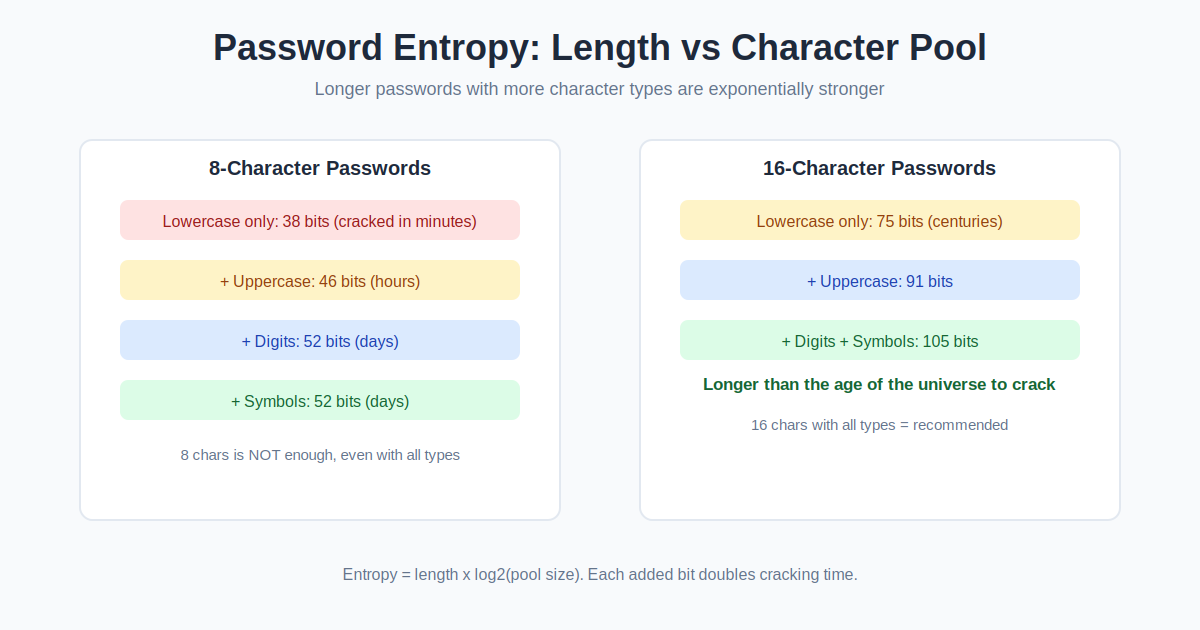
Password strength is measured in bits of entropy, which depends on the length and the size of the character pool. Each character adds the base-2 logarithm of the pool size in bits. A 16-character password drawn from 94 possible characters (letters, digits, symbols) has about 105 bits of entropy, far beyond what any brute-force attack can crack.
Entropy = length x log2(pool size). Cracking time roughly doubles with every added bit.
Example Calculation
A 16-character password using all character types might look like k7#mQ2$vL9@nP4!xR. Its pool has 94 characters, so entropy = 16 x log2(94) = 16 x 6.55, which is about 105 bits.
At a billion guesses per second, cracking 105 bits of entropy would take far longer than the age of the universe. Compare that to an 8-character lowercase-only password with 38 bits, which falls in minutes.
Passphrases vs Random Passwords
A passphrase — several random words strung together — trades a little entropy for memorability. A five-word passphrase picked from a 7,776-word list carries about 65 bits of entropy, plenty for most logins, and it is far easier to type than a random string. But if you use a password manager, randomness wins: a 16-character fully random password holds about 105 bits, and you never have to remember or type it yourself. Use a passphrase for your manager’s master password and random passwords for everything inside it.
Frequently Asked Questions
What makes a password strong?
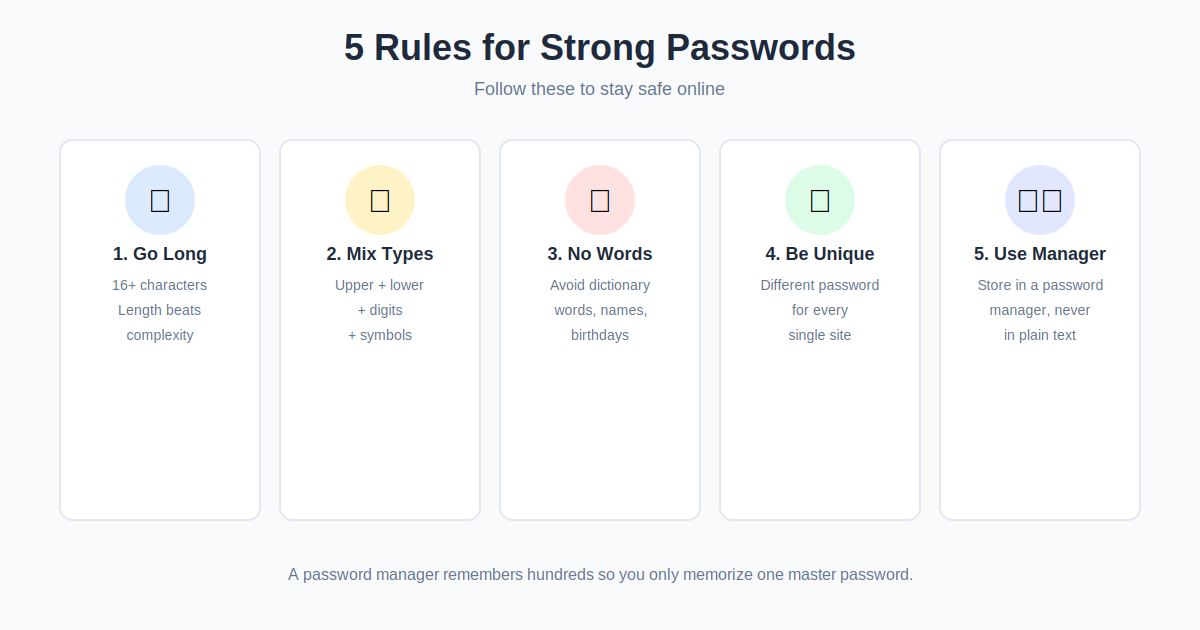
Length matters most, followed by randomness. A 16-character random password beats an 8-character complex one every time. Uniqueness matters too: never reuse passwords across sites.
How long should my passwords be?
Sixteen characters is the sweet spot for most accounts. Use 20 or more for email, banking, and your password manager itself, since those guard everything else.
Are generated passwords safe to use?
Yes, provided the generator uses a cryptographically secure random source, which this one does. Random generation avoids the predictable patterns humans fall into.
Should I use a password manager?
Absolutely. A password manager remembers hundreds of unique random passwords so you only memorize one master password. It is the single biggest upgrade most people can make to their security.
Is a passphrase better than a random password?
A long passphrase of five or more random words is strong and easier to type. For maximum security per character, though, a fully random password still wins.
Related Calculators
Check passphrase strength by counting characters with our Word Counter, and generate random numbers for PINs with our Random Number Generator.