Building a perfect circle in Minecraft is one of the hardest things for new players, because every block is a square. Our free Minecraft circle generator solves that instantly: type in the diameter you want, choose a filled circle or a hollow ring, and the tool draws an exact pixel-perfect blueprint you can copy block by block in your world. It also counts exactly how many blocks you will need, so you can gather materials before you start building. Whether you are making a round tower, a domed roof, a circular farm, or a giant pixel-art ring, this circle generator for Minecraft takes the guesswork out of curved builds in both Java and Bedrock editions.
How to Use the Minecraft Circle Generator
- Enter a diameter between 1 and 64 blocks. Odd diameters (like 15 or 21) give you a true center block, which is handy for towers and domes.
- Pick filled or hollow. Filled circles are best for floors, platforms, and pixel art bases. Hollow rings are best for walls, outlines, and tower shells.
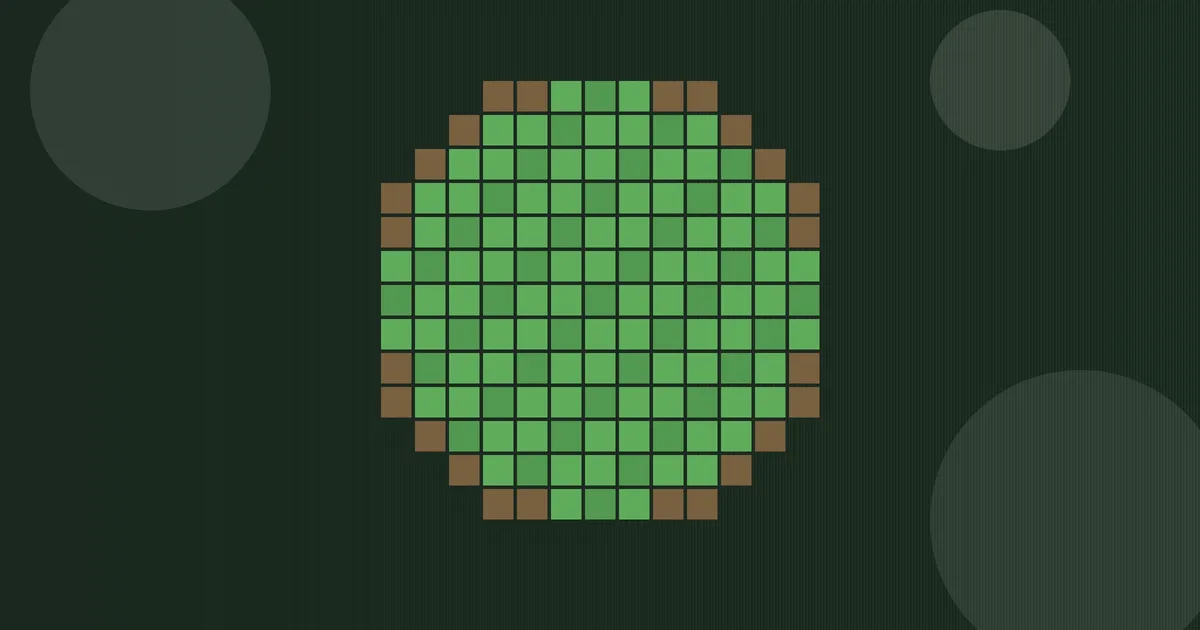
- Click “Generate Circle.” The blueprint appears as a green grid — each green square is one block.
- Build row by row. Start at the top row of the blueprint and place one block per green square, working downward. Mark the center first so you stay aligned.
- Check the block count shown under the blueprint and gather that many blocks before you start.
Why Circles Are Hard in Minecraft
Minecraft worlds are built on a strict grid of 1-meter cubes. There are no half-blocks in the horizontal plane and no true curves, so every “circle” is really a stepped pixel approximation made of squares. The smaller the diameter, the chunkier the circle looks — a 5-block circle reads more like a rounded diamond. As the diameter grows, the steps get finer and the shape reads as genuinely round from a distance. This generator uses the classic midpoint circle approach: it tests the center of every grid cell against the circle equation and keeps the cells whose centers fall inside the radius, which produces the smoothest possible ring for any diameter.
Minecraft Circle Chart: Block Counts by Diameter
This reference chart shows the exact block counts this generator produces for popular diameters. Counts were verified against the tool’s own circle math, so the numbers here match what you will see on screen. Hollow rings use far fewer blocks; use them for walls and outlines, and switch to filled for floors and solid bases.
| Diameter | Filled blocks | Hollow blocks | Best for |
|---|---|---|---|
| 3 | 9 | 8 | Pillar caps, tiny details |
| 5 | 21 | 12 | Well, watchtower base |
| 7 | 37 | 16 | Tower, fountain |
| 9 | 69 | 32 | Circular room |
| 11 | 97 | 28 | Small dome base |
| 13 | 137 | 40 | Tall tower footprint |
| 15 | 177 | 40 | Arena, large tower floor |
| 17 | 225 | 48 | Grand dome base |
| 19 | 293 | 68 | Pond, courtyard |
| 21 | 349 | 56 | Big domed building |
| 25 | 489 | 68 | Mega tower |
| 31 | 749 | 84 | Arena floor, plaza |
Diameter vs Radius: Get the Size Right
This generator asks for the diameter — the full width across the circle. If you planned your build in radius instead, convert first: double the radius, then add one if you want a single center block. A 7-block radius becomes a 15-block diameter (7 × 2 + 1), which is the classic tower footprint. If you skip the +1 and enter 14, you will get an even circle with a 2×2 center — workable, but it shifts everything half a block from your plan. When a friend says “radius 10,” type 21; when you see a tutorial for a “radius 5 circle,” type 11.
Filled vs Hollow Circles
A filled circle includes every block inside the radius — perfect for floors, ceilings, and solid platforms. A hollow ring keeps only the outer shell of blocks, which is what you want for tower walls, circular fences, and outlines. The hollow mode in this generator keeps the ring of blocks near the edge, giving you a clean one-block-thick wall at any size. For very large structures, build the hollow ring first as a guide, then fill the interior if you need a solid floor. This two-step method is how experienced builders keep huge domes symmetrical.
Worked Examples
- Diameter 5, filled — 21 blocks. A small round platform or the base of a watchtower. The classic 5-wide circle every Minecraft player learns first.
- Diameter 9, filled — 69 blocks. A medium circular room, big enough for a bed, crafting table, and storage with space to walk around.
- Diameter 15, hollow — 40 blocks. An excellent tower footprint: the hollow ring forms the wall, and the interior stays open for ladders and floors.
- Diameter 21, hollow — 56 blocks. Large enough for an impressive domed building; stack shrinking rings on top to form the dome itself.
- Diameter 31, filled — 749 blocks. A big circular stage for PvP arenas or decorative plazas — gather 11 full stacks of 64 plus 45 blocks before you start.
Building Tips for Perfect Circles
- Use odd diameters for centered builds. Odd numbers give you a single center block, which makes stacking floors and centering roofs much easier.
- Mark the center first. Place a distinctive block at the center of your build area, then measure the radius outward in the four cardinal directions.
- Build the outline, then fill. For filled circles, lay the hollow ring first so you can see the shape, then fill the middle.
- Count materials with the block counter. The generator tells you exactly how many blocks you need — gather about 10 percent extra for mistakes.
- Go bigger for smoother curves. If your 9-block tower looks chunky, try 13 or 15. Each extra block of diameter visibly smooths the curve.
- From circles to spheres: stack circles of shrinking diameters (for example 15, 13, 11, 9, 7, 5, 3, 1) to build a dome or sphere.
Even vs Odd Diameters: Which Should You Choose?
Odd diameters (5, 9, 15, 21) have a single center block. That center point is a huge practical advantage: you can place a torch, a ladder column, or a spiral staircase exactly in the middle, and every wall is the same distance from it. Even diameters (6, 10, 16, 20) have a 2×2 center instead. That is not a flaw — many builders prefer even circles for double doors, two-wide staircases, and builds that must connect cleanly to doors, corridors, or other buildings. Choose odd if your build needs a true center; choose even if it must align with an even-sized structure.
Common Circle-Building Mistakes
- Counting rows wrong. The most common error is skipping or repeating a row. Work top to bottom and tick off each row on the blueprint as you finish it.
- Starting from the wrong center. If your center block is off by one, the whole circle leans. Always mark the center and the four edge midpoints before placing the full ring.
- Mixing up diameter and radius. A “15-block circle” means 15 blocks across, not 15 blocks from center to edge. Entering the radius as the diameter roughly doubles your build size and your material cost.
- Ignoring the chunky zone. Circles under 7 blocks across barely read as round. If a small build looks wrong, it is not your placement — the shape itself needs a bigger diameter.
- Forgetting slabs and stairs. After placing the block skeleton, soften the silhouette with stairs on outside corners and slabs on top edges. The generator gives you the skeleton; detailing is where the build comes alive.
Circle Generator for Minecraft: Java vs Bedrock
The blueprint math is identical in both editions because both use the same 1-block grid. The only practical difference is play style: in Creative mode you can fly and place freely, while in Survival you will want the exact block count our tool provides so you do not run out mid-build. The generator works in any browser, so you can keep it open on a phone or second monitor while you play on console, PC, or mobile.
Related Calculators
Frequently Asked Questions
How do you make a perfect circle in Minecraft?
Use a circle blueprint: pick a diameter, generate the pixel layout with a tool like the one above, then place one block per marked square, working row by row. Odd diameters give you a true center block, which keeps the build symmetrical.
How many blocks do I need for a Minecraft circle?
It depends on the diameter and whether the circle is filled or hollow. For example, a filled 9-block circle needs 69 blocks, while a filled 5-block circle needs 21. The chart above lists exact counts for common sizes, or enter your diameter in the generator for a precise count.
How many blocks do I need for a 15-block circle?
A 15-block diameter circle needs 177 blocks in filled mode, or 40 blocks as a hollow ring, according to this generator’s circle math. Larger hollow rings stay surprisingly cheap — a 21-block ring uses only 56 blocks, while its filled version needs 349.
What is a Minecraft circle chart?
A circle chart is a grid diagram — also called a pixel circle chart — that shows exactly which squares of the block grid belong to a circle. Our generator draws one for any diameter from 1 to 64, so you can copy the pattern into your world row by row, like painting by numbers.
Should I use a filled or hollow circle?
Use filled circles for floors, platforms, and solid bases. Use hollow rings for walls, outlines, fences, and tower shells — they use far fewer blocks and build faster.
Can I make a sphere with a circle generator?
Yes. Stack circles of decreasing diameter on top of each other — for example 15, 13, 11, 9, 7, 5, 3, 1 — to form a dome, or mirror the stack for a full sphere.
Does this work for Minecraft Bedrock and Java?
Yes. Both editions use the same 1-block grid, so the blueprint is identical. The tool runs in any browser, so you can use it alongside console, mobile, or PC play.
What is the largest circle I can generate?
This generator supports diameters from 1 to 64 blocks. For most builds, 15 to 31 blocks gives the best balance of smooth curves and reasonable material cost.